
Wide place card template
4 x 2 Place Card Template
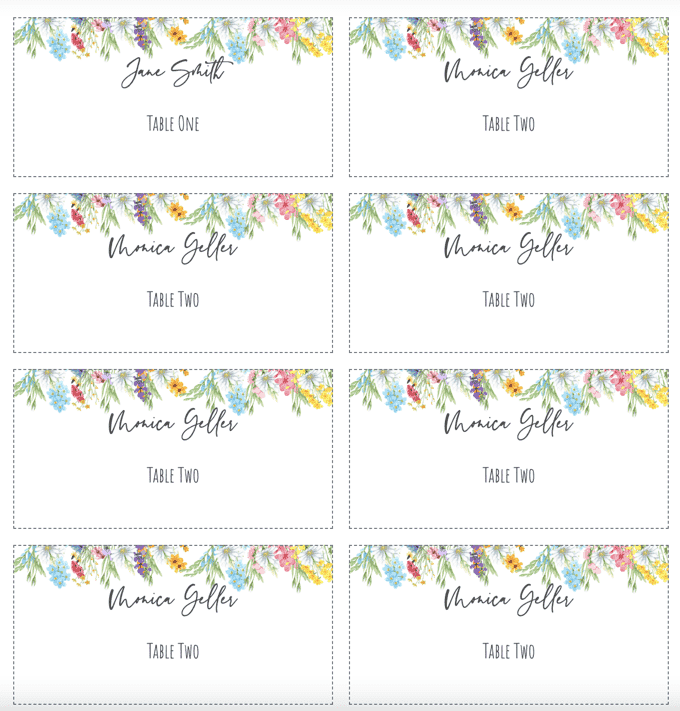
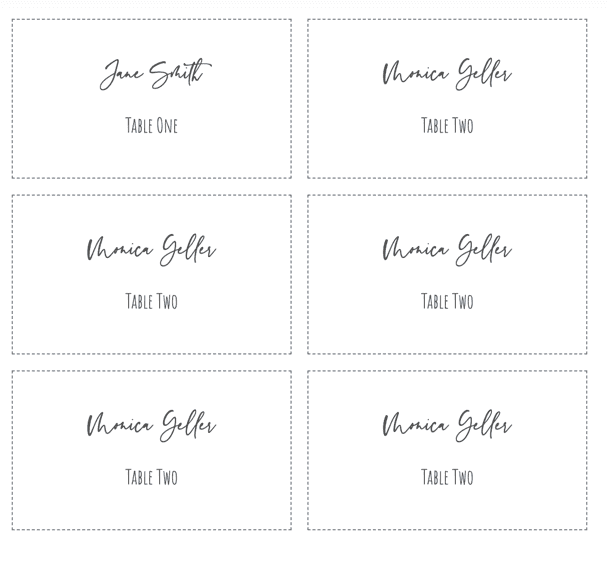
Download a 4 x 2 inch place card template with six cards per Letter sheet. A wider format for long names, table numbers, roles, and decorative borders.
PDF download. No Word file or account is required.
- Finished size
- 4 x 2 in
- Card style
- Flat card
- Sheet layout
- 6 cards
- Paper
- US Letter, landscape
Template overview
What this printable template is designed to do
A 4 x 2 inch place card gives long names and secondary information more room than a compact 3 x 2 card. It is useful when the layout includes a title, company, table number, or decorative border as well as the guest name.
The PDF uses two columns and three rows on a landscape Letter sheet. That produces six exact-size flat cards while leaving practical margins for an ordinary home or office printer.
Recommended uses
When to choose this place card layout
Long guest names
The extra width reduces the need to shrink type for double surnames or formal titles.
Corporate dinners
Add a company, role, or team below the attendee name without making the card feel crowded.
Table numbers and notes
Use the second line for seating information while retaining a strong name hierarchy.
Decorative borders
A wider card gives floral or formal framing more space around the live text area.
Use the extra width without adding unnecessary copy
The 4-inch width is most valuable as breathing room. Keep the guest name as the focal point, then add only information that helps seating or service. Avoid turning the card into a miniature program.
If the card will sit in a holder, measure the holder opening before printing. Some holders cover the lower edge, so important secondary text should remain near the visual center.
Set up the same size in Microsoft Word
In Word, choose landscape Letter and insert a two-column by three-row table. Set every cell to exactly 4 inches wide by 2 inches high, disable AutoFit, and use at least 0.15 inch of internal padding.
Because two 4-inch cards occupy 8 inches of the 11-inch page width, the layout leaves room for printer margins. Print a plain-paper test before using textured or heavy stock.
Print the template at the correct size
PDF preserves the sheet geometry, but the print dialog can still resize it. Use this sequence before committing final cardstock.
- Step 1
Check the holder or setting
Confirm that a 4-inch-wide card fits the physical space where it will be displayed.
- Step 2
Use landscape Letter
The six-card grid is arranged in two columns and three rows.
- Step 3
Print at 100%
Turn off Fit to Page so the finished width remains exactly 4 inches.
- Step 4
Trim and inspect
Cut one card first, check alignment, and then finish the full sheet.
Questions about this template
How many 4 x 2 place cards fit on Letter paper?
This landscape template fits six cards in two columns and three rows.
Why choose 4 x 2 instead of 3 x 2?
Choose 4 x 2 when names are long or the card also needs a title, table number, company, or decorative frame.
Can I make the layout in Word?
Yes. Use fixed 4 x 2 inch table cells on landscape Letter paper and disable AutoFit before entering names.

Personalize every guest name from a spreadsheet
Use the matching design, import Excel, CSV, or Google Sheets, and export the complete set as one print-ready PDF.
← Browse all place card templates