
Low-ink printable template
Pure White 3 x 2 Place Card Template
Download a pure-white 3 x 2 inch place card template for low-ink printing, handwriting, stamps, and clean wedding or dinner typography.
PDF download. No Word file or account is required.
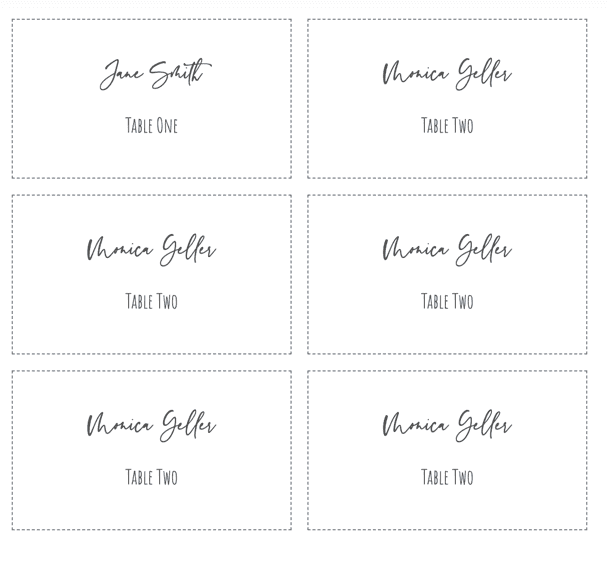
- Finished size
- 3 x 2 in
- Card style
- Flat card
- Sheet layout
- 6 cards
- Paper
- US Letter, landscape
Template overview
What this printable template is designed to do
This pure-white template lets typography and paper quality carry the design. With no full-color background, it uses very little ink and leaves room for handwritten names, stamps, ribbons, or a small meal-choice icon.
The current download is an exact 3 x 2 inch, six-per-sheet PDF. That specification replaces inconsistent historical product wording while preserving the original page, image, and clean printable intent.
Recommended uses
When to choose this place card layout
Low-ink home printing
A white background avoids large ink coverage and works on both inkjet and laser printers.
Modern table settings
Simple black or dark-gray type pairs well with formal, minimalist, and contemporary decor.
Handwritten names
Print the grid first, then add names with a pen or calligraphy marker suited to the cardstock.
Stamps and small details
Add a monogram, meal icon, or small decorative stamp without competing with a printed background.
Let contrast and paper texture define the design
White paper is not visually neutral when it sits beside linens, menus, and tableware. Test the actual cardstock in the event setting and choose a dark ink color with enough contrast under warm or dim lighting.
If names will be handwritten, test the pen on an offcut first. Coated stock can smear, while heavily textured stock can break fine calligraphy strokes. Keep decorative additions small so the name remains easy to scan.
Set up the same size in Microsoft Word
Create fixed 3 x 2 inch cells in a landscape Word table, keep the cell fill white, and disable automatic resizing. Use one font and test the longest name before filling the full document.
PDF is provided for stable dimensions. Word is useful when you need manual text edits, while the online editor is better suited to a spreadsheet containing many different names.
Print the template at the correct size
PDF preserves the sheet geometry, but the print dialog can still resize it. Use this sequence before committing final cardstock.
- Step 1
Select white cardstock
Choose a finish that works with the printer and any pen or stamp you plan to use.
- Step 2
Print a contrast test
Check the chosen text color on the actual stock and under realistic lighting.
- Step 3
Keep actual size
Print at 100% and confirm one card measures 3 x 2 inches.
- Step 4
Finish after cutting
Add handwriting, stamps, or ribbon after trimming unless the decoration must cross an edge.
Questions about this template
Does a pure-white template use less ink?
Yes. The printer mainly applies the names, borders, or cut marks instead of covering the card with a colored background.
Can I write names by hand?
Yes. Test the pen on the cardstock first, especially when the surface is coated or heavily textured.
What size is the current download?
The PDF contains six flat 3 x 2 inch cards on one landscape US Letter sheet.
Related templates
Compare another printable layout
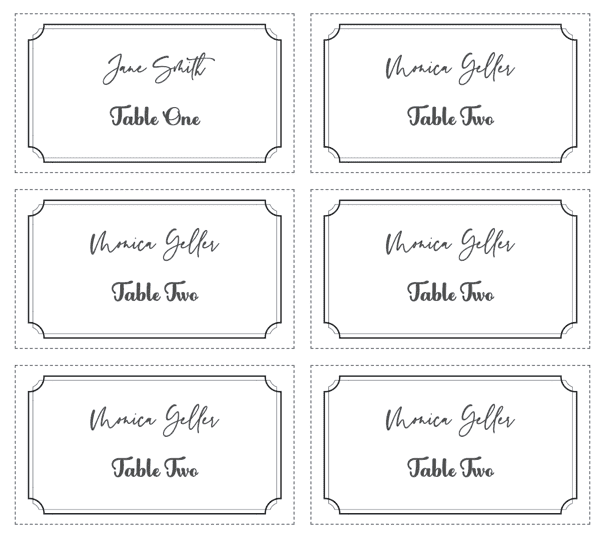

Personalize every guest name from a spreadsheet
Use the matching design, import Excel, CSV, or Google Sheets, and export the complete set as one print-ready PDF.
← Browse all place card templates