
Free Name Tag Maker
Pick a style, type the names, and download a printable PDF. No sign-in required. For a longer list, import Excel, CSV, or Google Sheets. Free downloads include a watermark.
No account needed. Free PDFs include a watermark. Upgrade to Pro for a clean print.

How to Make Printable Name Tags Online
Pick one style, add the names, and print the sheet. Import a roster only when the list is long.
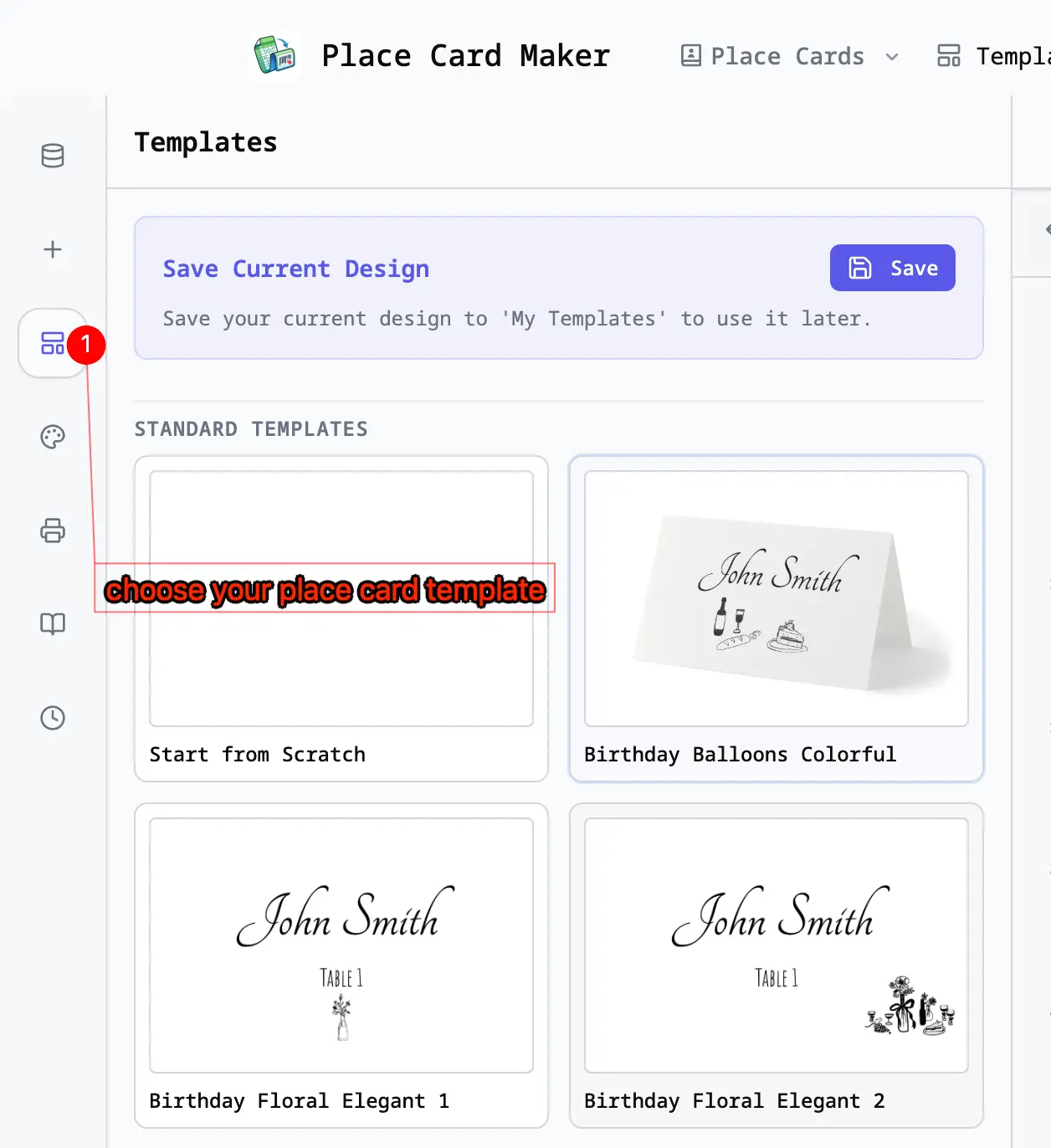
Choose a Style
Start with a wearable name tag layout: a large name, a bordered badge, or a photo badge. Set Avery 5395, 5392, or 5390 after that if you already have badge stock.
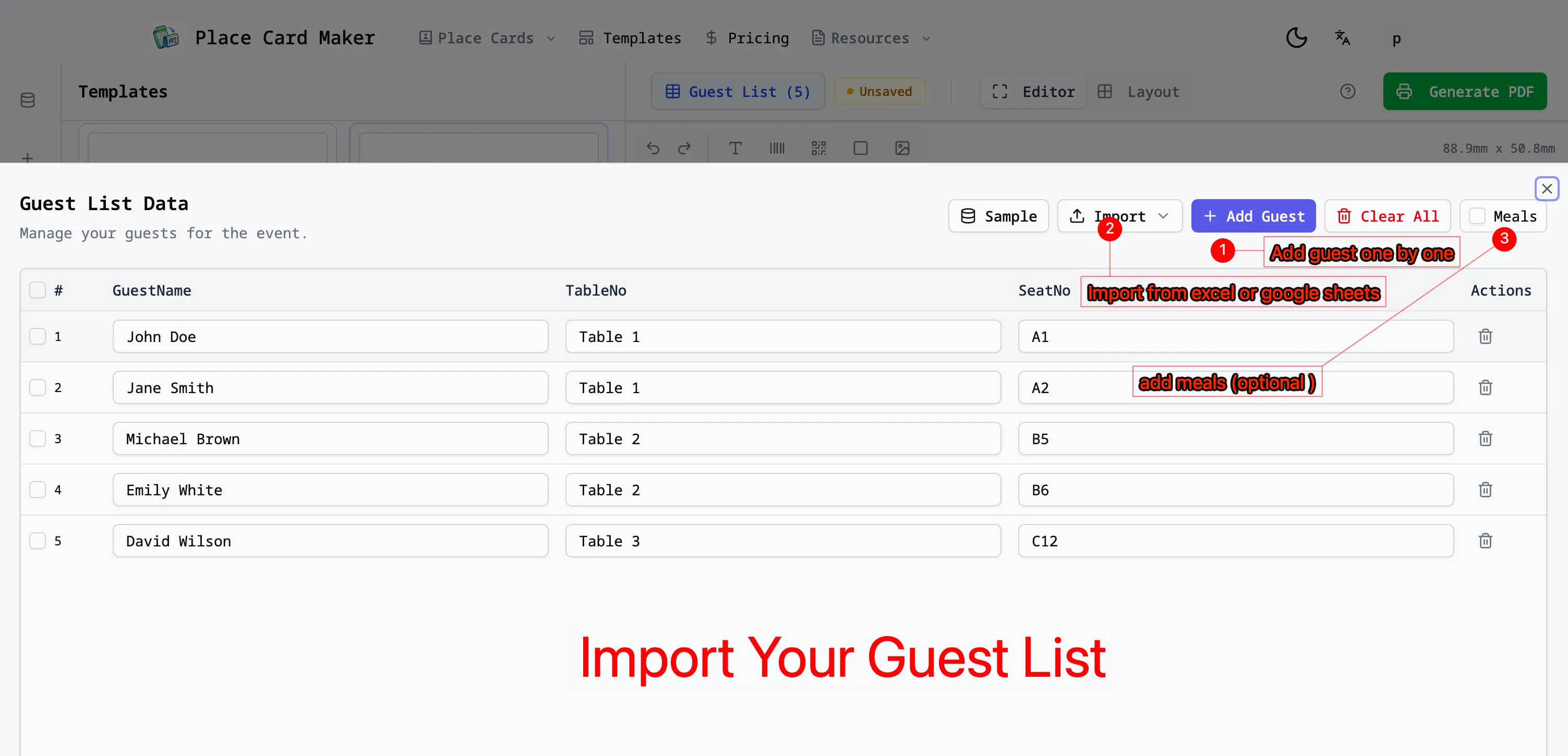
Type Names or Import a List
Type a few names, paste a list, or import Excel, CSV, or Google Sheets. Columns such as Title, Company, or Role can fill the lines under the name.
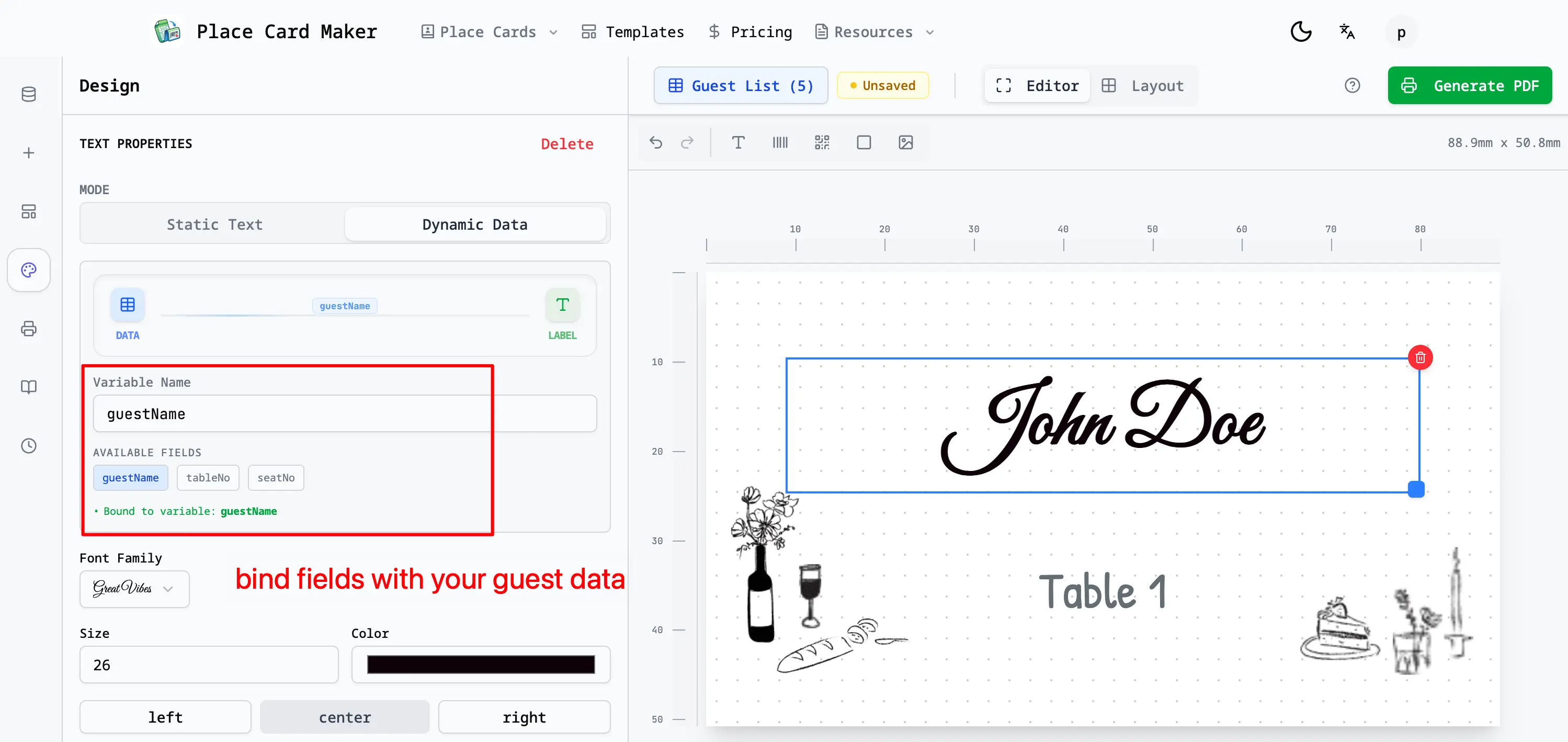
Customize the Badge Design
Adjust fonts, colors, and spacing, then add a company logo, school mark, or shared event artwork to the layout.
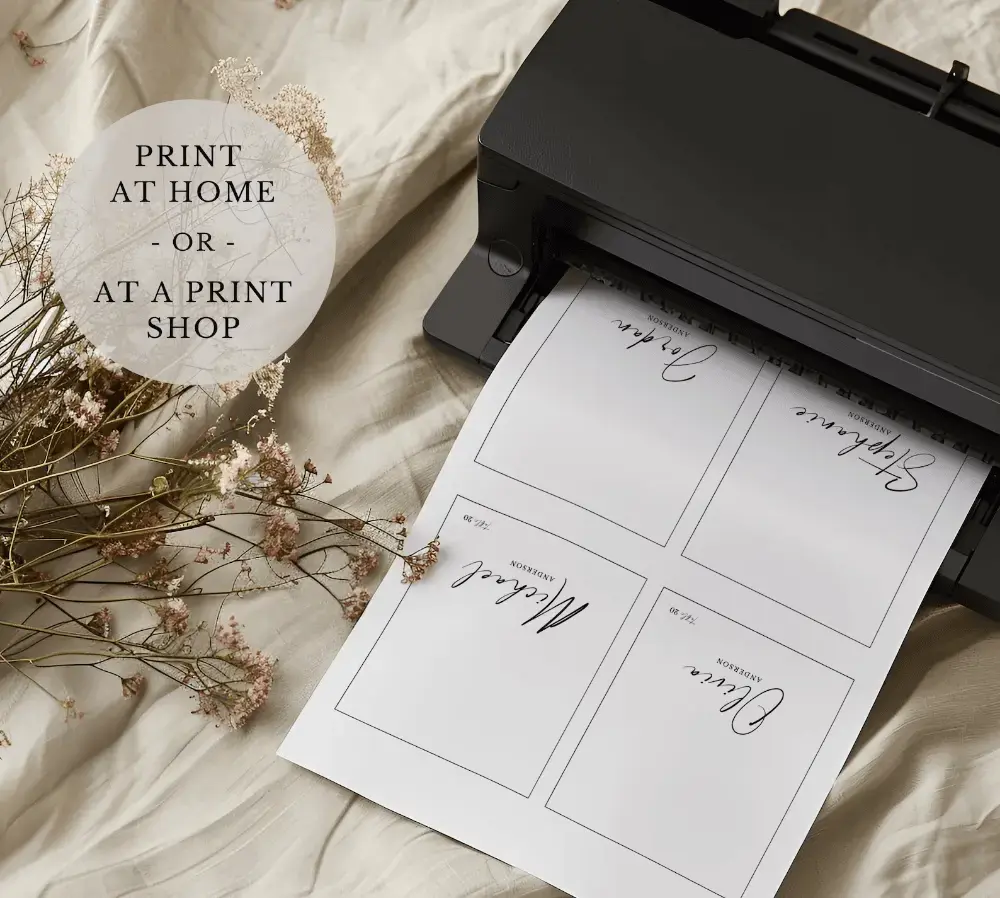
Download and Print
Preview the sheet and download the PDF. Free downloads include a watermark. Print a plain-paper alignment test, then print at 100% scale on adhesive badge stock or insert cardstock.
Name Badge Sizes and Print Layouts That Match Real Stock
Wearable name tags use Avery 5395, 5392, or 5390 badge sheets. Avery 5163 (4" × 2") is a temporary sticker sheet, not a badge insert — do not use Avery 5160 address labels for tags you plan to wear.
Common Avery Badge Sizes
Wearable badges: Avery 5395 / 8395 (2⅓" × 3⅜", 8 per Letter sheet), Avery 5392 (3" × 4" inserts, 6 per sheet), and Avery 5390 (2¼" × 3½", 8 per sheet). Avery 5163 is only a temporary sticker size, not one of these badge sheets.
Adhesive, Insert, and Lanyard Badges
Print peel-and-stick conference badges, refill inserts for clip or pin holders, or 3" × 4" cards for hanging / lanyard badge holders.
Logos and Shared Artwork
Upload a company logo, school crest, sponsor mark, or event graphic and keep it consistent across every badge in the set.
Print-Ready PDF Output
Download one high-quality PDF with the full name list, consistent spacing, and optional cut or perforation guides. Always test-print on plain paper first.
Make Name Tags for Conferences, Schools, and Offices
Built for wearable name badges and desk name plates. Looking for folded table place cards for seating? Use our Place Card Maker instead.
Conference Name Badges
Create attendee badges with name, job title, company, and logo. Import the registration list instead of designing each badge by hand.
School and Classroom Name Tags
Print desk name tags for the first day of school, open house, or a class list. Type the names or paste the roster.
Employee and Visitor Badges
Make staff, volunteer, visitor, and networking badges with a company logo and role line.
Reunion and Meetup Badges
Print name tags for alumni reunions, community meetups, and workshops—ideal when everyone needs a clear, wearable label.
Bulk Name Tag Generation
Import a spreadsheet and generate the complete badge set from one editable design, with different details on each row.
Reusable Badge Templates
Keep the same layout and print settings for recurring meetings or classes—just update the name list and reprint.
Free Name Tag Maker FAQ
Answers about badge sizes, Avery sheets, importing names, logos, and printing.
Still have questions?
If you couldn't find the answer you're looking for, please feel free to ask us!